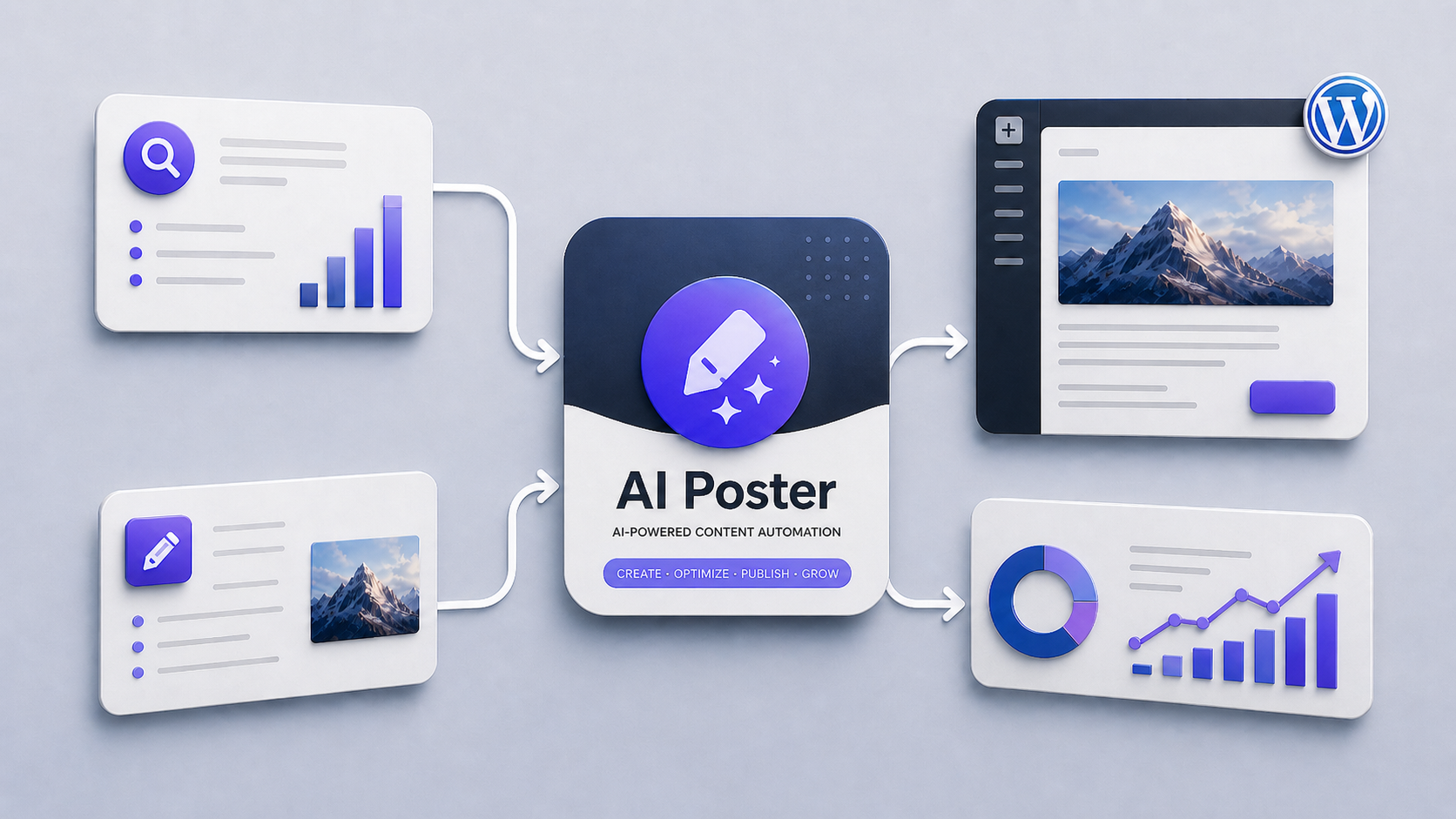
Creating high-quality SEO content takes time because writing is only one part of the process. You need to find keywords, understand search intent, create article ideas, build outlines, write content, optimize metadata, add internal links, prepare images, and publish everything inside WordPress. If you do this manually, even one article can take several hours.
For bloggers, affiliate marketers, agencies, and business owners, this creates a serious bottleneck. You know content is important for organic traffic, but producing enough of it consistently is difficult. That is where AI content automation becomes useful.
AI content automation helps you create a repeatable workflow for planning, generating, optimizing, and publishing SEO content faster. It does not mean publishing random AI-generated articles without review. A good automation system helps you reduce repetitive work, improve consistency, and scale your content production without losing control over quality.
In this guide, you will learn what AI content automation is, how it works, what parts of SEO content creation can be automated, and how a WordPress AI content automation plugin like AI Poster can help WordPress users create SEO content faster.
What Is AI Content Automation?
AI content automation is the process of using artificial intelligence to automate or speed up different parts of the content creation workflow.
This can include:
- generating blog post ideas;
- creating SEO titles;
- building article outlines;
- writing article sections;
- generating meta descriptions;
- creating excerpts;
- preparing focus keywords;
- suggesting internal links;
- generating image prompts;
- creating featured images;
- publishing posts to WordPress.
The goal is not just to “write faster.” The real goal is to create a structured content production system.
A manual content process often depends on many separate steps and tools. You may use one tool for keyword research, another for outlines, another for writing, another for images, and then WordPress for publishing. This creates friction.
AI content automation reduces that friction by turning scattered tasks into one connected workflow.
For example, instead of starting with a blank page, you can begin with a keyword, generate several article titles, choose the best one, create an outline, generate section-by-section content, prepare metadata, and save the post as a WordPress draft.
That is a much faster and more organized way to create SEO content.
Why AI Content Automation Matters for SEO
SEO is not only about writing one good article. It is about creating enough useful content to cover a topic properly.
If you want to build topical authority, you need more than a few random blog posts. You need clusters of related content that answer different questions your audience is searching for.
For example, if your website is about WordPress content automation, you may need articles about:
- AI article generators;
- WordPress AI plugins;
- SEO content workflows;
- internal linking;
- content briefs;
- meta descriptions;
- programmatic SEO;
- content quality;
- AI image generation;
- publishing automation.
Creating all of this manually takes a lot of time.
AI content automation helps you move faster by reducing the time spent on repetitive tasks. Instead of manually creating every outline, every meta description, and every first draft from scratch, you can use AI to produce a structured starting point.
This allows you to:
- publish more consistently;
- cover more topics;
- build content clusters faster;
- reduce manual writing time;
- improve workflow efficiency;
- keep your content pipeline active;
- focus more on strategy and editing.
For SEO, consistency matters. A website that publishes structured, useful content regularly has a better chance of building authority than a website that publishes occasionally without a clear plan.
The Traditional SEO Content Workflow
Before you automate content creation, it is important to understand the traditional process.
A typical SEO content workflow looks like this:
- Research keywords.
- Group keywords into topics.
- Choose a target keyword.
- Analyze search intent.
- Create a content brief.
- Write a title.
- Build an outline.
- Write the article.
- Add examples and details.
- Create a meta title.
- Write a meta description.
- Add internal links.
- Add images.
- Upload everything to WordPress.
- Format the article.
- Save as draft or publish.
Each step may look simple, but together they take a lot of time.
This is why many website owners struggle to publish consistently. They may have good ideas, but the process is too slow. They may start a content plan, publish a few articles, and then stop because the workload becomes too heavy.
AI content automation solves this by helping you automate parts of the workflow while keeping human control over strategy, review, and final publishing decisions.
What Parts of SEO Content Creation Can Be Automated?
Not every part of SEO content creation should be fully automated. However, many tasks can be accelerated with AI.
1. Topic and title generation
AI can help generate article ideas based on a keyword, niche, or content cluster.
For example, from the keyword “AI content automation,” AI can generate titles such as:
- AI Content Automation: How to Create SEO Content Faster
- Best AI Content Automation Tools for WordPress
- How to Automate Blog Content Creation with AI
- AI Content Automation for SEO Agencies
- AI Content Automation Workflow for WordPress
This makes ideation faster and helps you create multiple article angles from one topic.
2. Article outlines
A strong outline makes writing much easier.
AI can generate H2 and H3 structures based on the topic. This helps you avoid starting from a blank page and gives the article a logical flow.
A good AI-generated outline may include:
- introduction;
- definition;
- benefits;
- workflow;
- examples;
- best practices;
- common mistakes;
- FAQ section;
- conclusion.
You can then edit the outline before generating the full article.
3. Section-by-section writing
Instead of generating one large article at once, a better workflow is to generate content section by section.
This gives you more control over structure and quality. Each section can focus on one specific idea, which usually produces better results than asking AI to write a complete long-form article in one request.
4. SEO metadata
AI can help create:
- SEO titles;
- meta descriptions;
- focus keywords;
- excerpts;
- social media descriptions.
This is important because many website owners skip metadata or write it quickly at the end. Automation helps keep this step consistent.
5. Image prompts and visual content
For content-heavy websites, images are often an afterthought.
AI can help generate image prompts for:
- featured images;
- section images;
- diagrams;
- blog illustrations;
- social media graphics.
This is especially useful if your workflow includes AI image generation or a design process based on prompts.
6. WordPress draft creation
One of the biggest time-wasters is copying content from an AI tool into WordPress.
A WordPress-focused content automation tool can help by sending the generated article directly into WordPress as a draft. This allows you to review, edit, and publish from inside your normal WordPress workflow.
How to Create SEO Content Faster with AI Content Automation
The best way to use AI content automation is to follow a structured process.
Here is a practical workflow.
Step 1: Start with a Clear Keyword or Topic
Every SEO article should begin with a clear target.
Do not start by asking AI to “write an article about marketing” or “write a blog post about WordPress.” That is too broad.
Instead, start with a specific keyword or topic, such as:
- AI content automation;
- WordPress AI content plugin;
- AI article generator for WordPress;
- SEO content automation;
- automated blog writing;
- AI SEO content workflow.
A specific keyword helps the article stay focused.
Before generating content, ask:
- What is the user looking for?
- Is this informational, commercial, or comparison intent?
- What problem does the article solve?
- What should the reader know after reading it?
- What product or feature can naturally fit into the article?
For this article, the search intent is mostly informational with commercial potential. The reader wants to understand how AI content automation works and how to use it to create SEO content faster.
Step 2: Generate Multiple SEO Titles
The title is important because it affects both search visibility and click-through rate.
AI can help generate different title angles quickly.
For example:
- AI Content Automation: How to Create SEO Content Faster
- How to Automate SEO Content Creation with AI
- AI Content Automation for WordPress: Complete Guide
- How to Build an AI-Powered SEO Content Workflow
- AI Content Automation: Tools, Workflow, and Best Practices
The best title should be clear, specific, and aligned with search intent.
For this page, “AI Content Automation: How to Create SEO Content Faster” works well because it includes the primary keyword and promises a practical benefit.
Step 3: Create a Structured Article Outline
A good article outline saves time and improves quality.
Instead of generating an article without structure, create the outline first.
A strong outline for SEO content should include:
- a clear introduction;
- a simple definition;
- benefits and use cases;
- a practical workflow;
- common mistakes;
- tool recommendation;
- comparison section;
- FAQ;
- conclusion.
This helps the article feel organized and useful.
With AI Poster, this step can be part of the content workflow. You can move from keyword to title, then from title to outline, then from outline to article content.
This creates a predictable system instead of a random writing process.
Step 4: Generate the Article Section by Section
Generating content section by section gives you better control.
For example, instead of asking AI to write a full 2500-word article at once, you can generate:
- introduction;
- “What is AI content automation?” section;
- benefits section;
- workflow section;
- best practices section;
- FAQ section.
This approach has several advantages.
First, each section can be more focused. Second, it is easier to review and improve the content. Third, you can adjust the tone, length, and depth as you go.
This is especially useful for long-form SEO articles.
A section-based workflow also helps avoid generic content. When each section has a clear purpose, the final article is usually more helpful and better structured.
Step 5: Optimize SEO Metadata
After generating the article, you need to prepare the SEO metadata.
This usually includes:
- meta title;
- meta description;
- focus keyword;
- URL slug;
- excerpt;
- image alt text.
Here is an example for this article:
Meta Title:
AI Content Automation: How to Create SEO Content Faster
Meta Description:
Learn how AI content automation helps you create SEO content faster, automate your workflow, and publish SEO-friendly articles in WordPress with tools like AI Poster.
URL Slug:/ai-content-automation/
Focus Keyword:
AI content automation
Metadata helps search engines and users understand what the article is about. It also improves how your page appears in search results.
AI can generate metadata quickly, but you should always review it. A good meta description should be clear, specific, and not too long.
Step 6: Add Internal Links
Internal linking is one of the most important parts of SEO content automation.
If you publish many articles without internal links, your site may become a collection of disconnected pages. That makes it harder for users and search engines to understand the structure of your website.
For this article, you could link to related pages such as:
- WordPress AI Content Plugin
- AI Article Generator for WordPress
- AI SEO Content
- Keyword Clustering for SEO
- Topical Authority for SEO
- Internal Linking for SEO
- WordPress Publishing Automation
- AI Content Briefs and Article Outlines
- AI Prompts for Content Creation
Internal links help connect the article to the larger content cluster.
For example, when this article mentions “WordPress publishing automation,” you can link to a dedicated page about that topic. When it mentions “keyword clustering,” you can link to a guide about keyword clustering.
This creates a stronger topical map and improves user navigation.
Step 7: Publish as a WordPress Draft
The final step is publishing or saving the article in WordPress.
For most workflows, it is better to save AI-generated articles as drafts first. This gives you time to review, edit, add images, check formatting, and make sure everything is accurate.
A good content automation system should not force you to publish instantly. It should help you create drafts faster while still allowing human review.
This is one reason a WordPress AI content automation plugin like AI Poster is useful for WordPress users. Instead of copying content manually from an AI tool into WordPress, you can build a more direct workflow from content generation to WordPress draft creation.
How AI Poster Helps with AI Content Automation
AI Poster is designed to help WordPress users automate important parts of the SEO content workflow.
Instead of using AI only as a writing assistant, AI Poster helps organize the process around real content production.
With AI Poster, you can build a workflow that includes:
- generating article titles from keywords;
- creating article outlines;
- generating content section by section;
- preparing SEO descriptions;
- working with prompts and prompt variables;
- creating content tasks;
- managing generated drafts;
- preparing content for WordPress publishing;
- supporting a repeatable article creation process.
This is useful because content automation is not only about writing. It is about managing the entire workflow.
A generic AI chatbot can help you write text, but it does not automatically fit into your WordPress publishing process. You still have to copy, paste, format, optimize, and organize everything manually.
AI Poster is built for people who want to create SEO content directly for WordPress.
AI Poster vs Manual Workflow vs Generic AI Tools
| Feature | Manual Workflow | Generic AI Tool | AI Poster |
|---|---|---|---|
| Generate article titles | Slow | Yes | Yes |
| Create article outlines | Manual | Yes | Yes |
| Generate section content | Manual | Yes | Yes |
| SEO-focused workflow | Limited | Partial | Yes |
| WordPress draft workflow | Manual | Usually no | Yes |
| Metadata generation | Manual | Partial | Yes |
| Prompt management | No | Limited | Yes |
| Content task management | No | No | Yes |
| Built for WordPress | No | No | Yes |
| Scalable content production | Difficult | Partial | Yes |
The main difference is workflow.
A manual workflow gives you control but takes too much time. A generic AI tool gives you speed but often lacks structure. AI Poster is designed to combine speed, structure, and WordPress-focused publishing.
Benefits of AI Content Automation
AI content automation can help different types of users in different ways.
For bloggers
Bloggers can use AI automation to publish more consistently. Instead of spending hours planning and drafting every post, they can create a repeatable system for generating ideas, outlines, drafts, and metadata.
For affiliate marketers
Affiliate websites often need many types of content:
- product reviews;
- buying guides;
- comparison articles;
- informational articles;
- supporting blog posts.
AI content automation helps create these content types faster while keeping the workflow organized.
For agencies
Agencies usually manage content for multiple clients. This makes workflow efficiency very important.
AI automation can help agencies produce drafts faster, organize content tasks, and reduce repetitive work.
For niche site owners
Niche websites need topical coverage. To build authority, they often need dozens or hundreds of articles around related topics.
AI content automation helps niche site owners build content clusters more efficiently.
For small businesses
Small business owners often do not have time to write blog posts manually. AI automation helps them create content for their website without hiring a full content team.
For WordPress users
WordPress users benefit from tools that connect content generation with publishing. A WordPress-focused workflow saves time and reduces manual copy-paste work.
Best Practices for AI Content Automation
AI content automation can be powerful, but it should be used carefully.
Here are the most important best practices.
1. Start with strategy
Do not generate content randomly.
Start with a clear content plan. Know your target keywords, topic clusters, and audience. Automation works best when it follows a strategy.
2. Use AI for structure, not just writing
AI is useful for outlines, briefs, metadata, FAQs, and internal linking ideas. Do not think of it only as a writing tool.
The more structured your workflow is, the better your content output will be.
3. Review every article before publishing
AI-generated content should be reviewed before it goes live.
Check for:
- accuracy;
- readability;
- search intent;
- formatting;
- internal links;
- missing details;
- duplicate ideas;
- generic statements.
Human review is still important.
4. Build topic clusters
Do not publish disconnected articles.
Create clusters around important topics. For example, if your main topic is AI content automation, supporting articles could include:
- AI article generator;
- WordPress AI content plugin;
- AI SEO content;
- automated WordPress publishing;
- AI content briefs;
- internal linking automation.
This helps your website build topical authority.
5. Add real examples
AI content becomes more useful when you add examples, screenshots, workflows, templates, or product-specific details.
For example, instead of saying “AI can generate metadata,” show an example meta title and meta description.
6. Avoid thin content
Speed is useful, but quality matters.
Do not use automation to publish low-value pages. Each article should answer a real question and provide useful information.
7. Keep improving prompts
Your results depend on your prompts.
Over time, improve your prompt templates for:
- titles;
- outlines;
- article sections;
- metadata;
- FAQs;
- image prompts.
A better prompt system creates better content.
Common Mistakes to Avoid
AI content automation can create problems if used incorrectly.
Here are common mistakes.
Publishing without review
This is one of the biggest mistakes. AI can produce helpful drafts, but the final content should be checked before publishing.
Creating content without search intent
Every SEO article should match user intent. If the article does not answer what people are searching for, it may not perform well.
Publishing random articles
Random content does not build authority. Use clusters and internal links.
Ignoring internal linking
If your articles are not connected, users and search engines may not understand your site structure.
Skipping metadata
SEO titles and meta descriptions are small but important. They should be part of your automation workflow.
Using generic prompts
Generic prompts often produce generic content. Create specific prompts for your website, niche, and content format.
Focusing only on speed
The goal is not just to publish more. The goal is to publish useful content faster.
Create SEO Content Faster with AI Poster
If you want to create SEO content faster, you need more than a simple AI writing tool.
You need a workflow.
AI Poster helps WordPress users automate important parts of the content creation process, including title generation, article outlines, section content, metadata, and draft preparation.
Instead of starting from a blank page every time, you can create a structured system for turning keywords and ideas into WordPress-ready content.
AI Poster helps you move from idea to draft faster, so you can focus more on strategy, editing, and growth.
Is AI Content Automation Right for You?
AI content automation is a good fit if you:
- publish blog posts regularly;
- manage a WordPress website;
- want to scale SEO content;
- create affiliate or niche site content;
- manage content for clients;
- need a faster publishing workflow;
- want to reduce repetitive content tasks.
It may not be the right fit if you only publish one article every few months or if you do not have a content strategy yet.
The best results come when automation supports a clear plan.
If you already know your target topics and audience, AI content automation can help you move much faster.
FAQ
What is AI content automation?
AI content automation is the use of artificial intelligence to automate or speed up parts of the content creation process, such as generating titles, outlines, article drafts, metadata, FAQs, image prompts, and WordPress drafts.
Can AI content automation help with SEO?
Yes. AI content automation can help with SEO by making it faster to create structured articles, cover topic clusters, generate metadata, and publish content consistently. However, human review and strategy are still important.
Does AI content automation replace human writers?
Not completely. AI can reduce repetitive work and speed up drafting, but humans should still guide strategy, review content, add expertise, and make final publishing decisions.
Is AI-generated content good for SEO?
AI-generated content can be useful for SEO if it is accurate, helpful, well-structured, and reviewed before publishing. Low-quality or generic AI content is unlikely to perform well.
How does AI Poster help with content automation?
AI Poster helps WordPress users automate parts of the SEO content workflow, including title generation, article outlines, section writing, metadata generation, prompt management, task management, and draft preparation.
Can AI Poster publish content to WordPress?
AI Poster is designed for WordPress content workflows and can help streamline the process of creating and preparing content for WordPress. In many cases, saving generated content as a draft is the best approach for review before publishing.
Who should use AI content automation?
AI content automation is useful for bloggers, affiliate marketers, niche site owners, agencies, small businesses, and WordPress website owners who want to create SEO content faster and more consistently.
What is the best workflow for AI content automation?
A strong workflow starts with a keyword or topic, then moves to title generation, outline creation, section-by-section writing, metadata generation, internal linking, image preparation, and WordPress draft creation.
Should AI content be reviewed before publishing?
Yes. Every AI-generated article should be reviewed for accuracy, usefulness, formatting, search intent, and quality before publication.
What is the biggest benefit of AI content automation?
The biggest benefit is not just speed. The biggest benefit is creating a repeatable content system that helps you publish useful SEO content more consistently.
Conclusion
AI content automation is one of the most practical ways to create SEO content faster.
Instead of handling every step manually, you can use AI to support your workflow from keyword to article draft. AI can help generate titles, outlines, section content, metadata, FAQs, and publishing-ready content.
But automation works best when it is structured.
The goal is not to publish random AI articles. The goal is to build a system that helps you create useful content faster, cover important topics, and grow your website with a consistent publishing workflow.
For WordPress users, AI Poster can help simplify this process by bringing AI content generation closer to the actual publishing workflow.
If you want to create SEO content faster, reduce manual work, and build a scalable content system for your website, AI content automation is a smart place to start.